
In the past few months of (world) traveling, I’ve come to the frustrating conclusion that my nerdy habit of leaving ssh/mosh sessions running on my mobile phone zaps my battery. The app, Termius, tries really hard to make sure iOS doesn’t kill it to persist the background session. This is silly: I almost exclusively use mosh since my sessions need to persist all kinds of network changes. Why can’t the client just hibernate the session when idle? Mosh servers don’t require keepalives, so this is really about having a client that’s built specifically around this architecture.
Someone must have already written this right?
There’s a good handful of iOS terminal emulator apps; the well-rated ones are Swiss Army knives of multiple protocols and some newer ones even include optimizations specifically for coding agents — something I did a lot of before /rc became a thing. But none of them are simple. This idea of a simple, purpose-built app for running mosh only, hibernating sessions when not in use, made me think that this would be a fun thing to try and build with Claude Code. How far can you get with Fable 5.2 and Ultracode mode?
I am so happy with the result that I’m actually publishing it to the App Store; it’s in TestFlight now: https://testflight.apple.com/join/MXHVk9mu
It’s open source: https://github.com/trickv/ios-mosh
How I started
It started with a simple new Claude Code prompt, switching on Ultracode, and starting with:
New project. Call it iOS-mosh. I want a terminal emulator for iOS. Uses mosh exclusively, so it didn’t need to persist in the background when iOS kills it. Needs typical mobile terminal features like keyboard extensions and needs OSC52 copy paste support. Key generation support and storage and pub key export. Plan it out.
It asked me a few questions on development environment and distribution methods first before crunching out a plan which took it 10 or 20 minutes. The output was honestly so long that I couldn’t read it all, so I asked Claude to summarize for me the key design decisions some of which I refined slightly. Then I kicked off the build.
Environments
Part of the fun along the way was the different places where I had Claude Code run on:
- Initially on my Linux development box which normally lives in the basement
- From time to time I gave it SSH access to my Mac laptop to run xcode and push a build to my phone
- Claude Duet got involved: When It came time for me to move the Linux box on our long drive down to Florida, I moved the main build process over to a Cloud worker. How? I asked Duet to do it for me, in voice mode, while I was out running an errand.
- To give the Cloud runner the ability to run stuff on the Mac while I was staying in a hotel, I ran up a Claude Code session on my Mac and said to the Cloud session “use the session named X, run stuff in it and react to it’s outputs.”
- Upon arriving in Florida, I set up the Linux box again, and moved development back on there for it to complete it’s work.
Managing Usage
Ultracode + Fable 5.2 is quite expensive, and I didn’t want to just zap my entire Max 5x plan. A trick I learned a while ago – and perfected on this project – is just to tell the agent “stay within my plan’s 5-hour and weekly usage limits.” The agent built this as a routine where it would wake up at ten minutes into each 5-hour usage window, and run tasks until it hit about 40% of the 5-hour usage window.
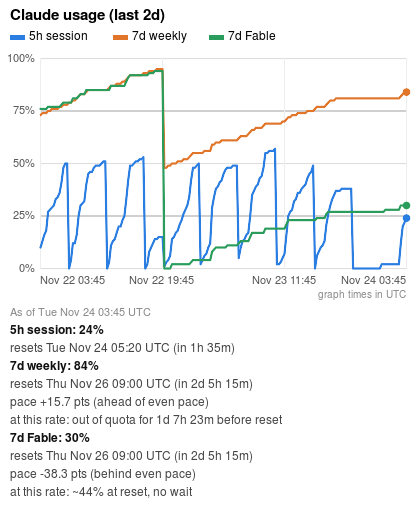
The result of which is that each 5-hour window a chunk of work gets done, never tying up my subscription entirely, and working within the weekly usage window. I ended up using one of my reset passes this weekend just to get it over the line.
Guiding the agent
The agent had questions for me here and there along the way, and I had to steer it on one feature in particular (I wanted multiple concurrent connections which it had not built.). I have a lot of experience in tech, so none of this was outside of my realm of experience. Could anyone build this app? Not without that bit of experience – but with just enough experience, and the right resources, you could build this app too.
Testing
During development, the agent build hundreds of automated tests which it ran periodically to validate it’s own work, ending up producing over two hundred builds (only a few of which I was even involved with to install.). It even prompted me to test UI lag; mosh has a feature where it’ll locally echo your text back to you before the server acknowledges it. On a laggy connection this is very helpful. It set up a dummy mosh-server, added simulated lag to it, fired up the app on my phone connected to this dummy server, and said “type some stuff and tell me how it feels.” It wrote hundreds of tests, but there were a few that needed a human touch.
Duration
I kicked off the project about two weeks ago and have hit the publish button on the App Store today. It has probably taken me a few hours of my time total; nudges for decisions here and there on demand, but not much of a burden. It would have taken much less than two weeks if I was paying API rates but
The result
I’m so happy with the result I’ve started using it in anger. I’m impressed with it’s session tracking so much (it even survives rebooting of the phone!) There’s a lot of things that others might find missing; it doesn’t let you import your own public key but rather generates one for you on first start. It doesn’t do other protocols, which I don’t feel like I need. But it gets the job done.
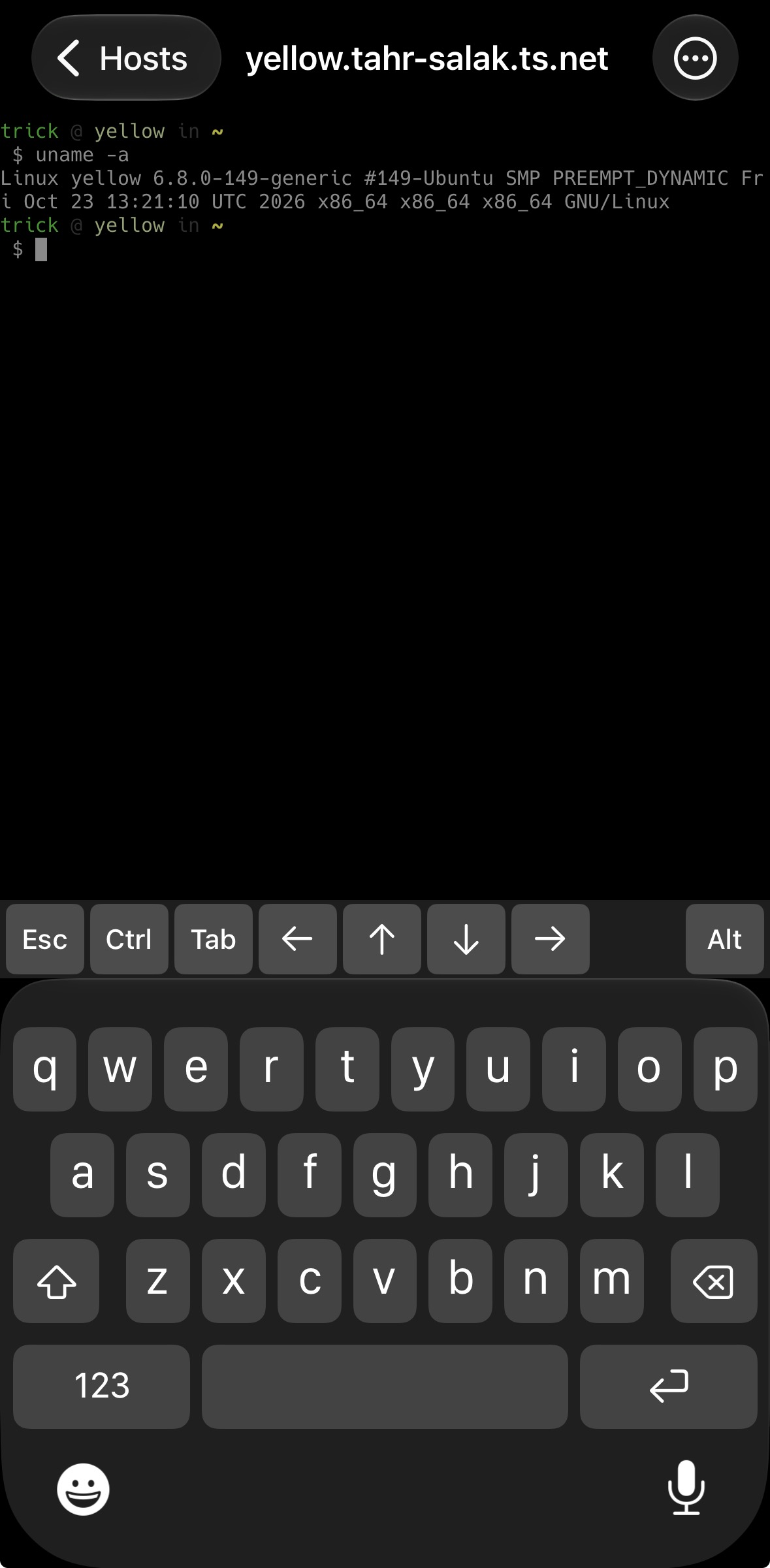
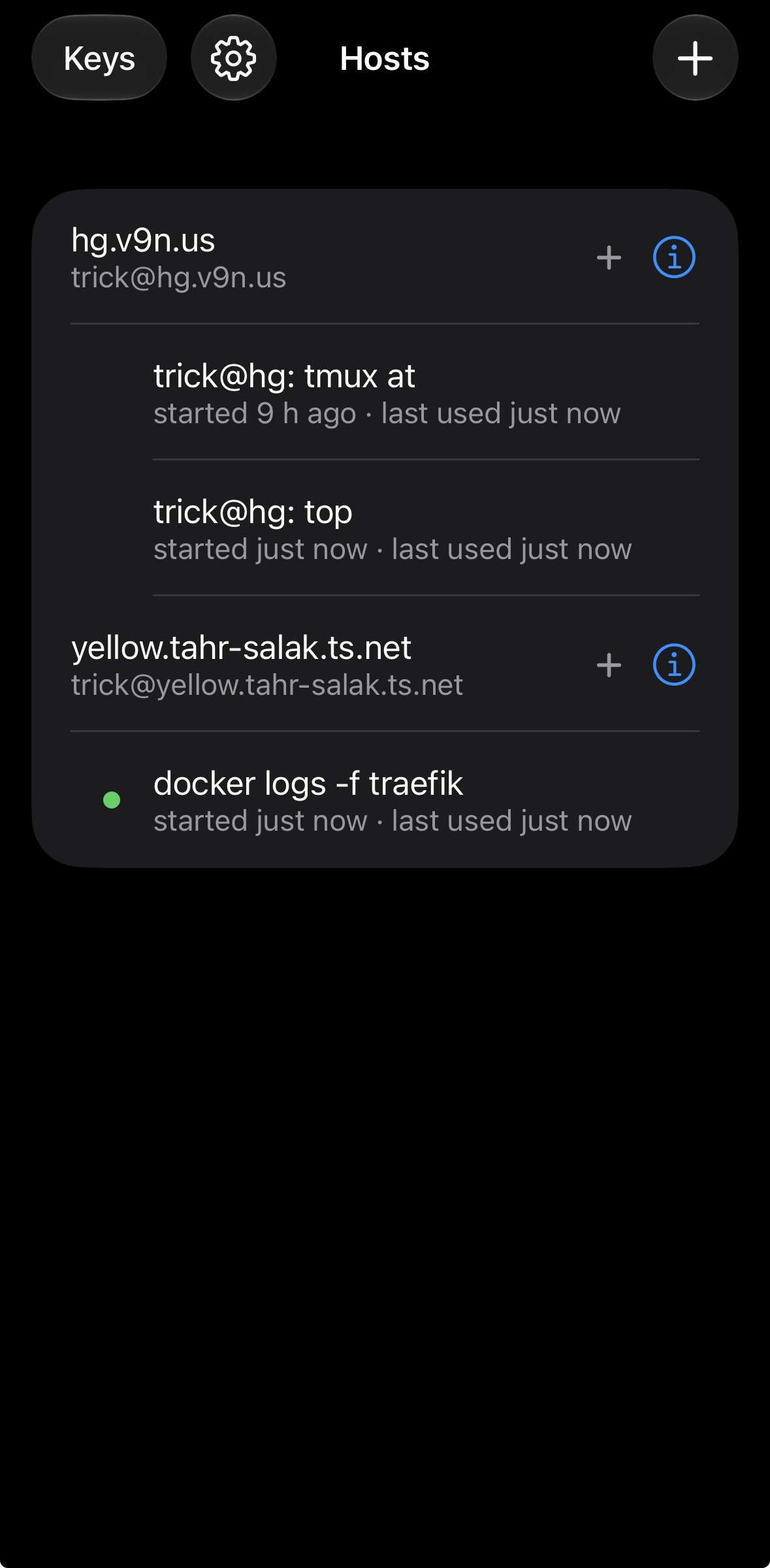
And doesn’t suck my battery dry!
In the end it wrote ~55k LOC, half of which is tests, and imported another ~600k LOC of dependent libraries, building mainly on top of SwiftTerm.
Impressions on Fable 5.2
In my AI Coding Courses this year I’ve been describing AI as having, in many cases, matching the levels of human software developers. In some cases, it falls over; with a ruthless agent configuration like Ultracode where it relentlessly checks it’s own work in adversarial agents, writes tests (777 which run on Linux, 173 unit tests which require Xcode), runs the app in a simulator (89 more automated functional tests written), and even asks me to test the edge cases that it considers important for me to look at…color me impressed. I watched it work through many bugs that it had written only for it to figure it out autonomously. I’ve seen shipped to me only two bugs, both of which were interactive elements that were hard to spot.