
I often find my stories of using AI coding tools to be dream-like when I tell others about it. Not just technical folks; just about anyone who has even the slightest appreciation for what it means to offer a service – let alone a software service – hears me talk about it and I see the gears turning.
I build new things with AI coding tools regularly – most for fun, to test what is possible. Some of it is really worth sharing, perhaps the code is interesting, but the capability unlock is what really shines for me.
Smart Watch Code
I recently bought a new Amazfit/Zepp Bip 6 smart watch. It’s a cost effective GPS-enabled smart watch for exercise and I liked the simplicity of my last one (Bip U) which lasted five years. I noticed that it had an SDK for building custom home screens and “mini apps” – but when was I ever going to have time/energy for that?
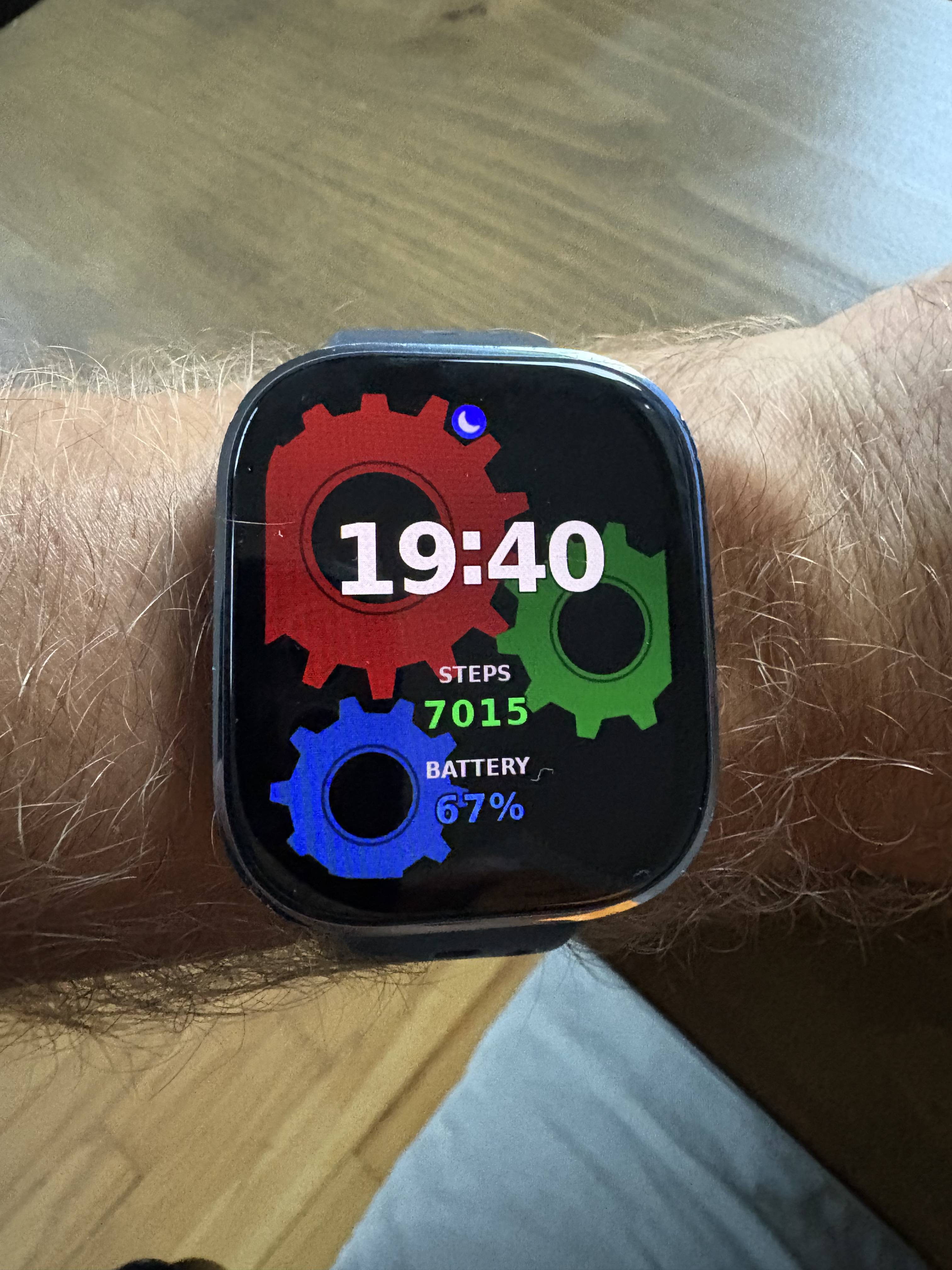
My prompt: “Can I code a custom face for my Amazfit Bip 6 watch? can you build me a Hello World version of one, with a glxgears-inspired icon or background or something (be creative, I don’t care) and have it show digital time, # of steps today, and battery %. then explain how i install it to my watch.”
Claude installed the SDK, built a home screen that was good enough, and told me how to log into the Zepp SDK at the command-line.
A few minutes later Claude spat out a QR code and explained where in the Zepp app on my phone to scan it to install it. I have tweaked it a bit since to make it even more nerdy, but the initial implementation was so quick and simple I could hardly believe it. The code is full of so much boilerplate – I would probably never have found the energy for this.
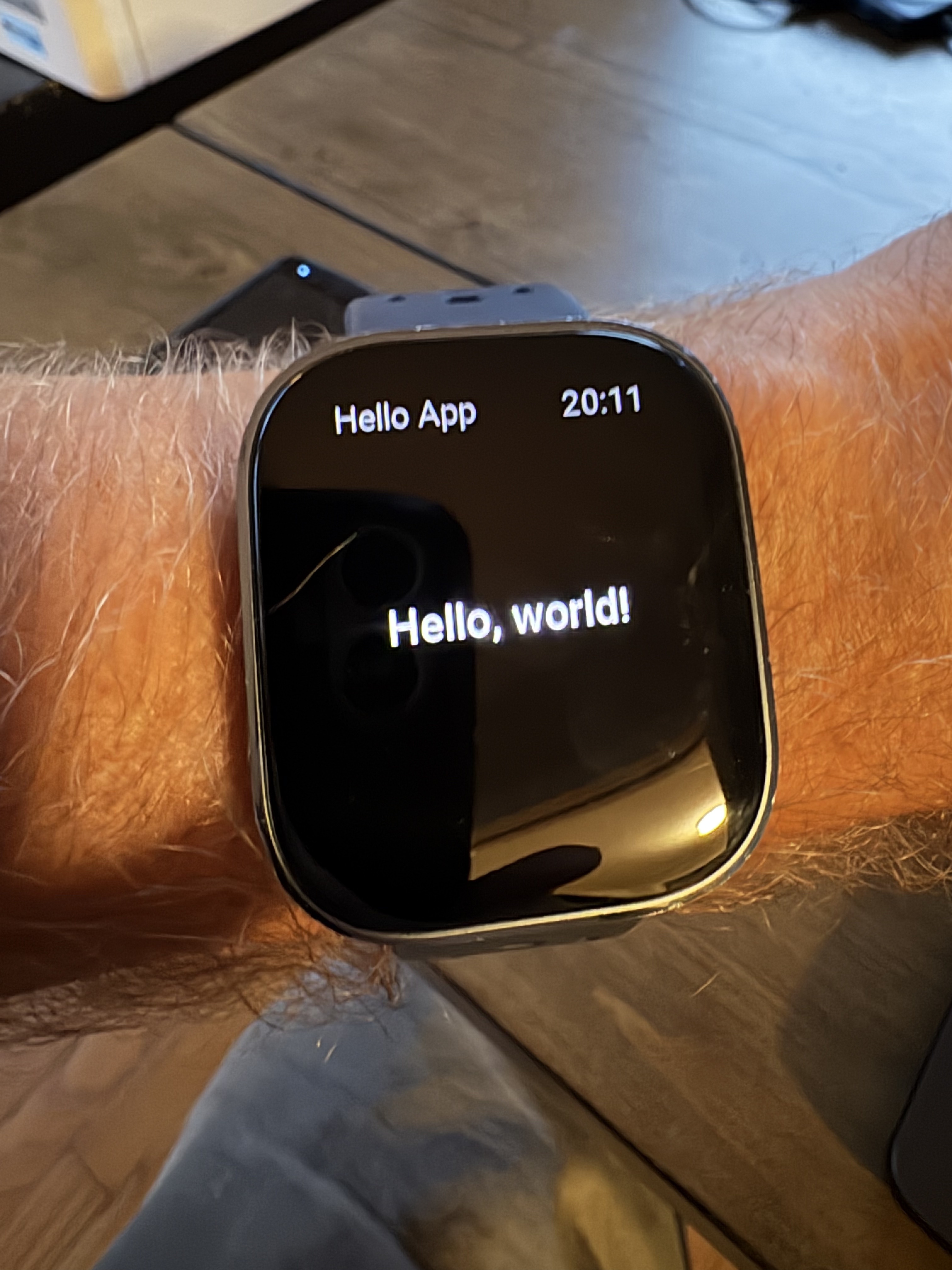
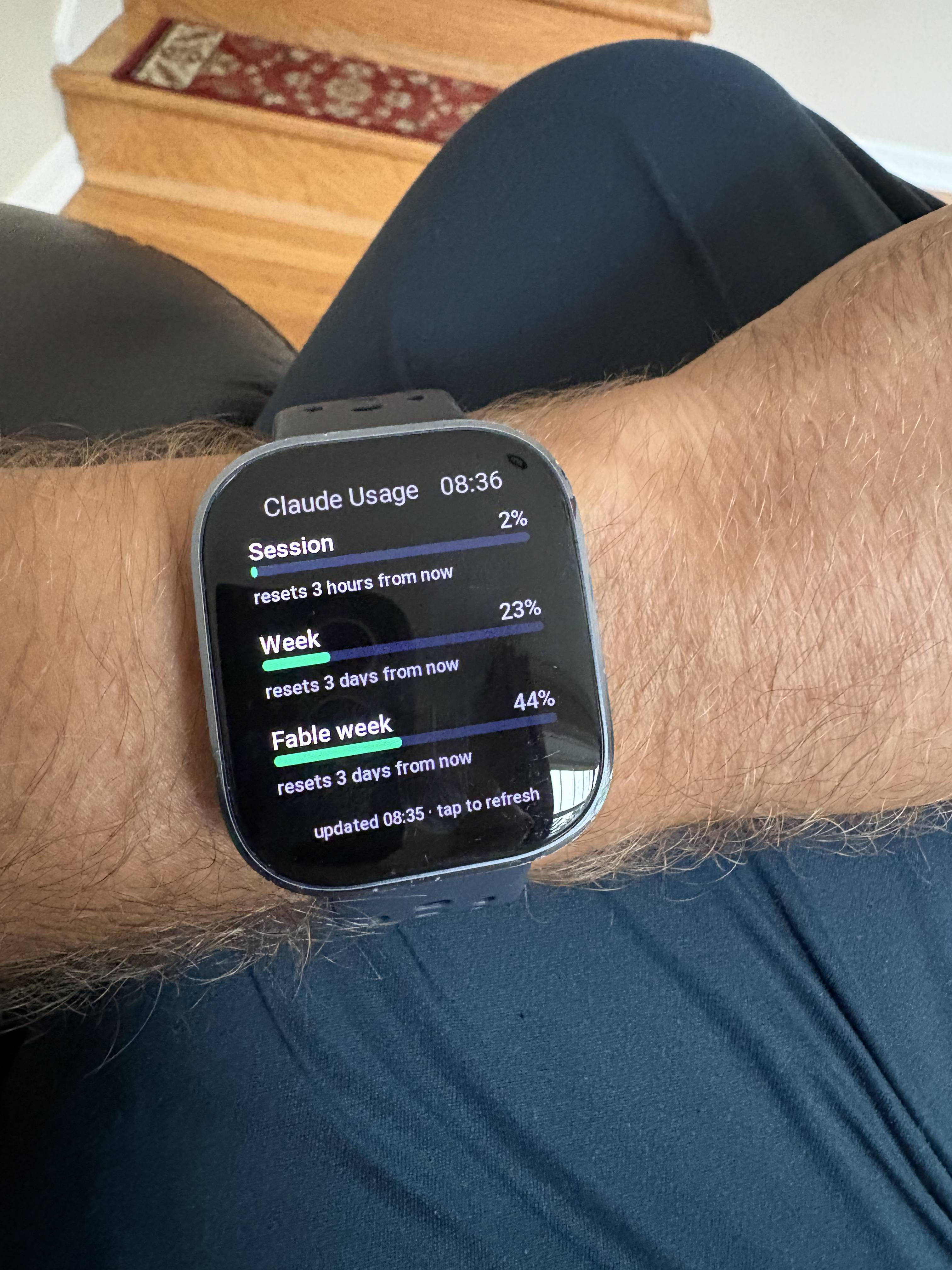
Then there’s the “mini app” platform which is, as you might have guessed, as simple as building your own custom home screen. I started with a hello world, and then used it to show me some data from my Home Assistant integration which shows me how much of my Claude subscription I’ve used.
Experiments with Mobile Phone Accelerometers
In addition to detecting passing trains with radio signals, I had always wanted to deploy a long-term collection sensor at my house to see if I could detect the wobble of the house caused by passing freight trains. Over the years of living 100m from a freight line, I found heavier/longer trains did cause a noticeable wobble from time to time. As the days in my house came to a close, I never got around to building something proper. But – doesn’t my smart phone have sensors for this? Of course it does. Claude Code whipped me up a simple local time-series viewer:
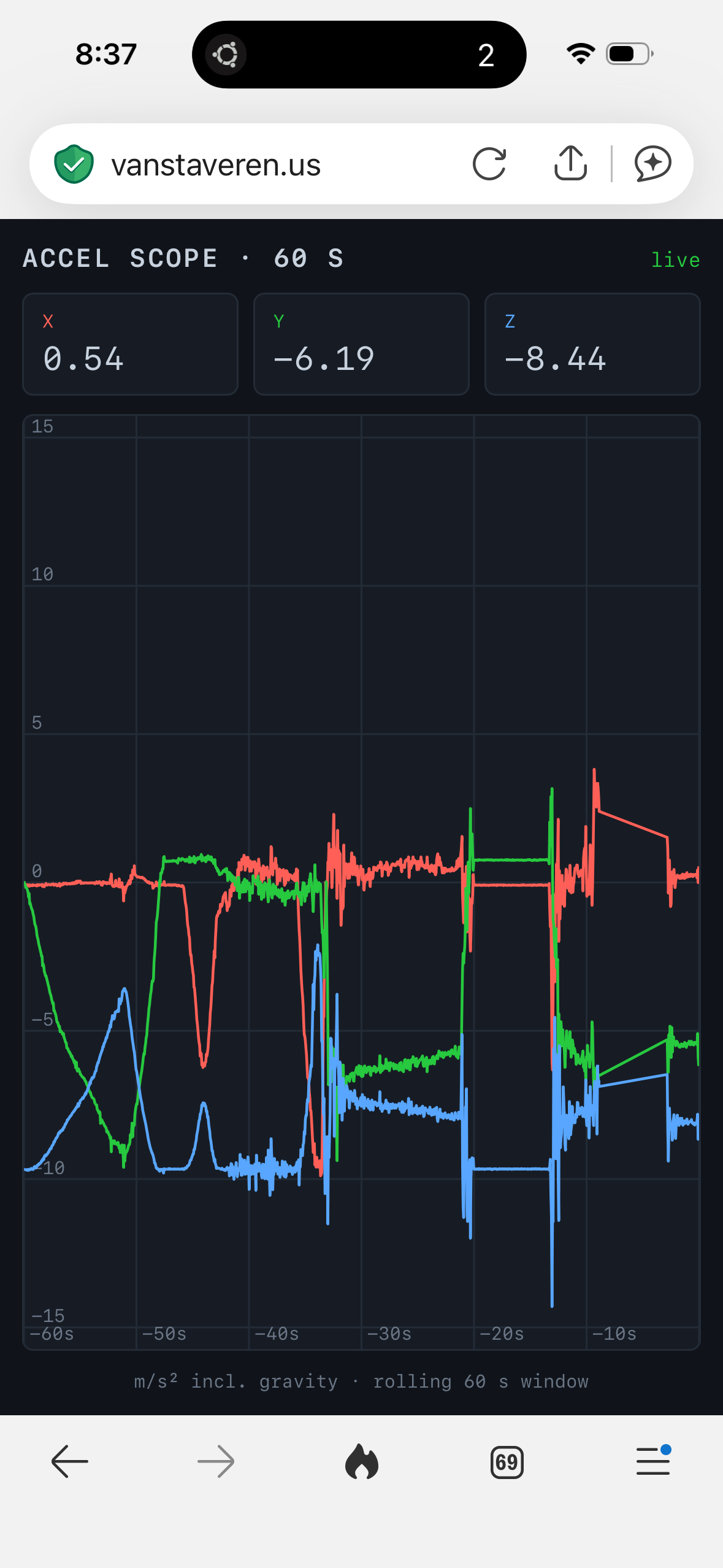
However – I’d have to be looking at the phone while the train went by and making sure not to touch it. Could I whip up a derivative piece of work which used a second phone as a remote sensor? Of course! The architecture didn’t take long to co-work with AI, build and publish:
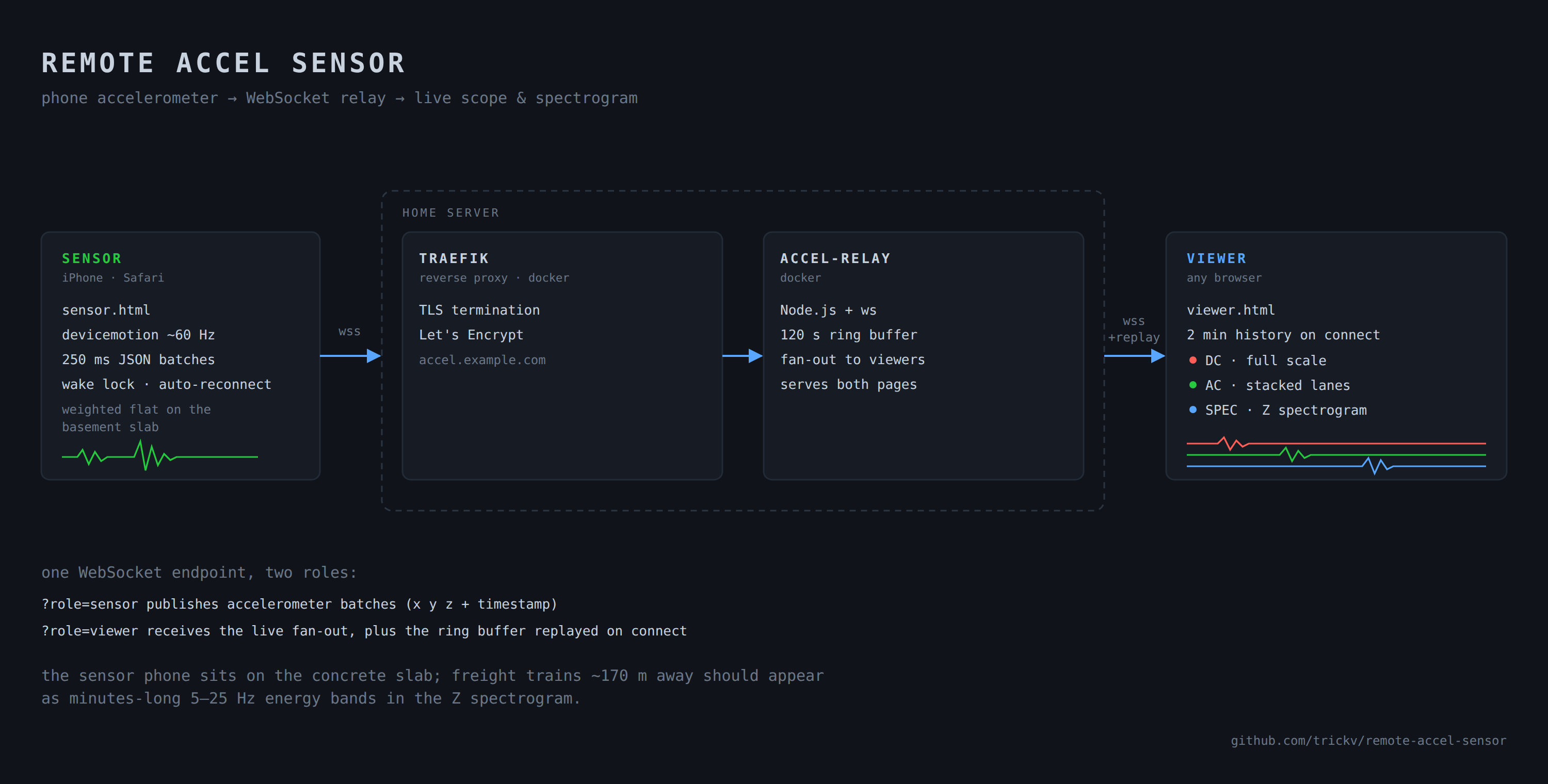
What did I learn? Phone sensors are not sensitive enough to detect the wobble! I’m glad I never built the dedicated MCU datalogger I’d always envisioned for this project, because I would have been disappointed to find that I needed something much more sensitive to pick up this motion. Mostly, I enjoyed the rapid-prototyping and quickly figuring out not to spend any more time on this. I’m sure I’ll find a use for this remote sensor in the future.
Generating Radio Waves…Without a Radio?
I was 400 miles from home, with a box of assorted microcontroller parts, a sensor to collect data with, and I didn’t have the right radio transmitter with me. WiFi would not do – I needed something simpler and long distance. I had managed to bring an RTL-SDR receiver and a Raspberry Pi to host it, but I didn’t have any radios that could transmit digital signals. My requirements were low – I only needed a couple hundred feet of range, and a low bitrate (50 baud) was fine – I just wanted a remote temperature sensor to dangle in the waters of Lake Superior and transmit it’s readings back to the cabin where I had electricity to run a receiving station 24/7.
I did have a box of microcontrollers – esp8266 and an esp32. Scratching my head: didn’t I read something about modulating digital pins on microcontrollers to produce a radio signal?
In this day and age of next-day Amazon delivery, the lazy answer is always to just buy a transmitter and wait for it. But I was on an island where delivery can be slow and spotty. Could I make something real quick?
How I leaned on AI to get going
I brainstormed with Claude.ai one evening my list of spare parts, and my memory of reading about a Raspberry Pi transmitting signals using some kind of modulation on digital pins. It pointed me to two projects:
- cnlohr’s channel3 analogue TV transmission hack (esp8266)
- F50E0’s rpitx which generates signals on a Raspberry Pi
Claude’s first pointer was to use the esp32 to generate a 6 meter band signal, until I noticed that mine is a specific type (C3) which isn’t fit for the job. We then pivoted to using the esp8266 on the 10 meter radio band. When you have a ham radio license anyway, the only real difference is the length of your antenna anyway!
Cooking with gas^W radio waves
I plugged the esp8266 with it’s ds18b20 sensor already wired in, as well as an RTL-SDR radio receiver, into the same Raspberry Pi. Since Claude Code can’t really run on an old 1GB RAM Raspberry Pi, I set up passwordless SSH access from my laptop and let Claude cook – it had access to install the tools, upload the firmware to the esp8266, and to receive radio signals with RTL command-line tools. A complete loop that can iterate without me having to copy/paste anything.
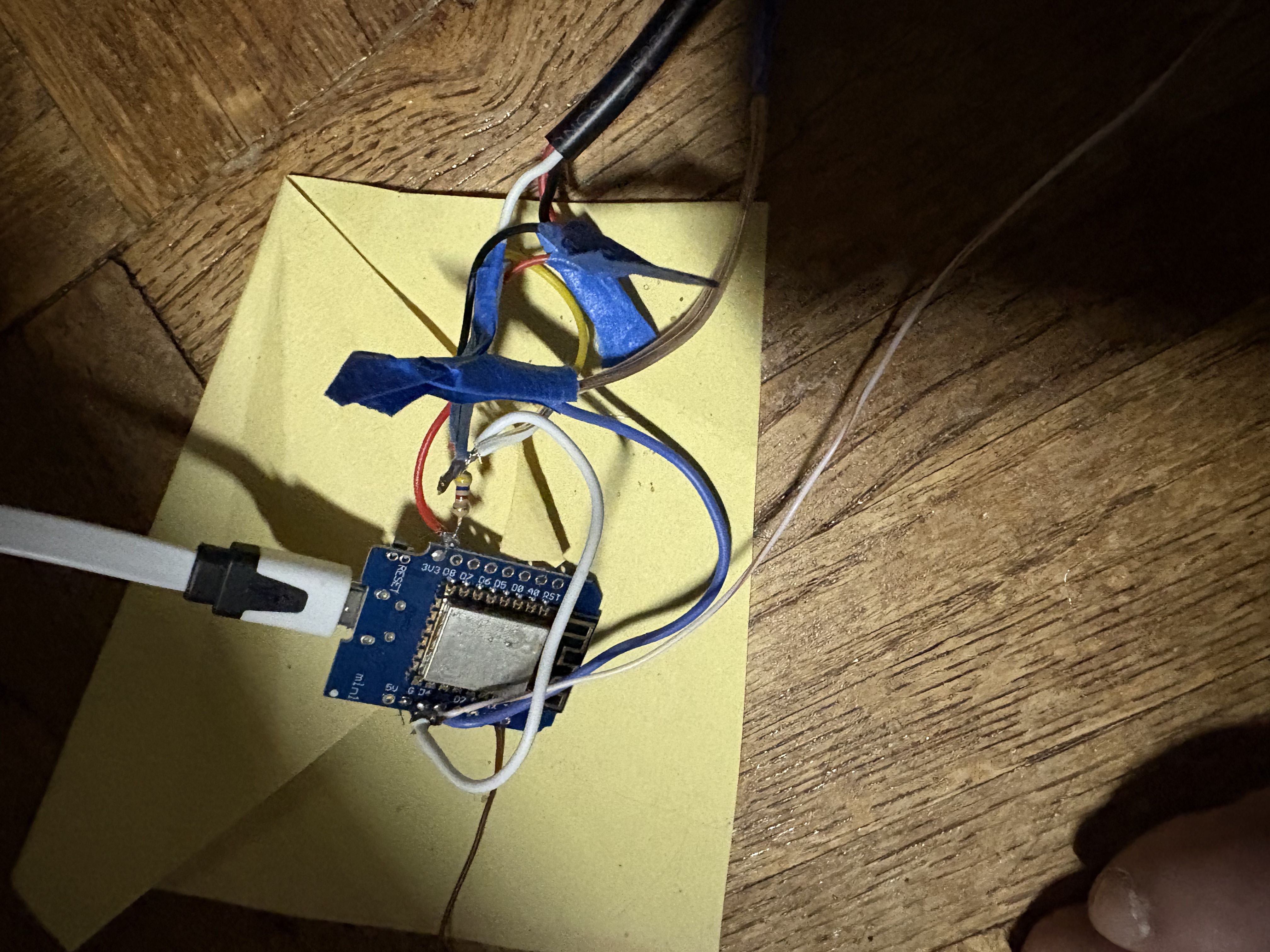
I asked Claude.ai to give me a prompt to hand off to Claude Code, and off it went, with few hiccups. I’ve programmed many radios over the years, but never hacked one together this way. It worked! I moved the transmitter to run on a portable USB power bank for distance testing.
Cutting the Experiment (and the Antenna) Short
The circuit in use for this is the I²S circuit, which produces a digital signal – so when we modulate that quickly, we approximate an A/C signal that generates RF. However we’re modulating a square wave signal, not a sine wave. In the radio world, this is bad: we generate lots of images of our signal on other unwanted frequencies. At milliwatts without an antenna out in the woods, this is a minor offense – and the solution is simple: build a filter. However I didn’t have the resources at hand to build a filter, so I cut my experiment short and used a short stubby antenna on the transmitter to keep my signal local. I transmitted temperature data for a few days – including soaking wet during an overnight rainstorm where the transmitter and it’s battery continued to perform flawlessly!
Results
Over 65 hours of transmitting the link performed well enough for the job including when I started to move the transmitter further away from the receiver and out in the sun:

The generated RF waveform isn’t perfect at all but it’s “good enough”
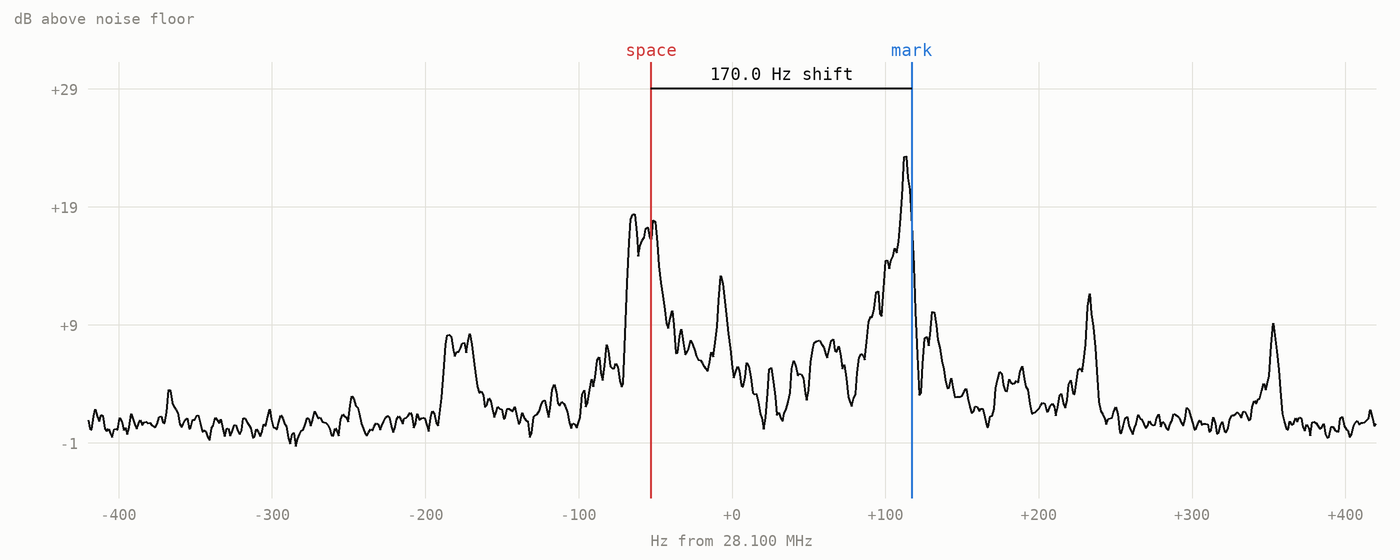
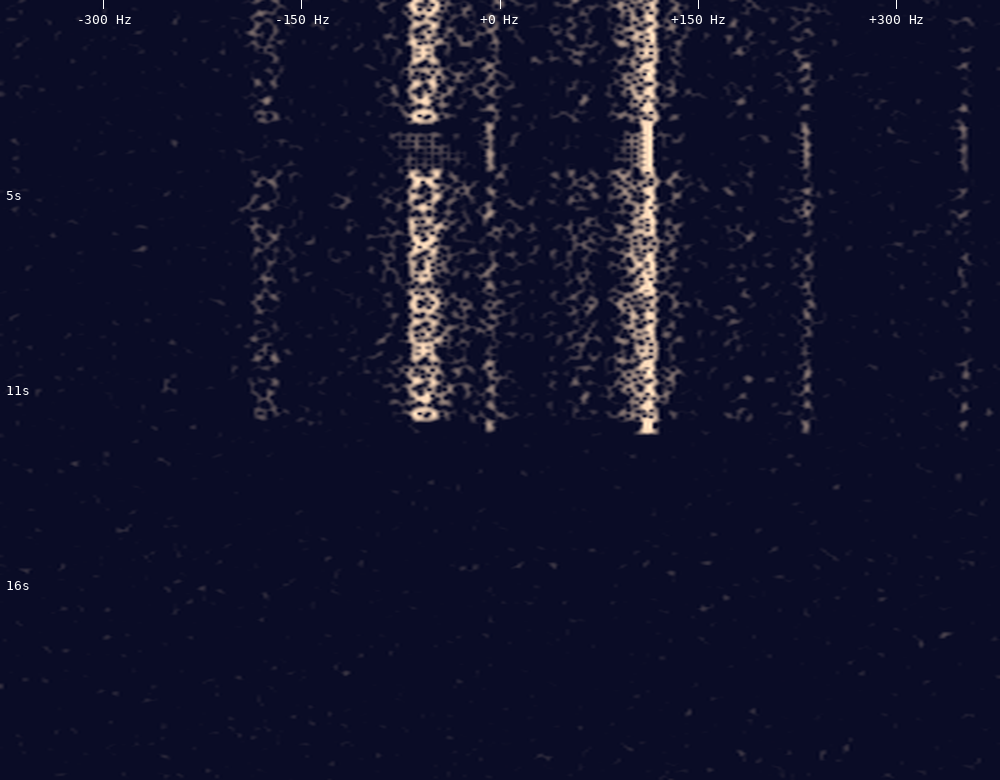
The code lives over here if you’re ever interested to try transmitting RTTY from your own ESP8266. Or – just ask Claude Code what you might be able to get your microcontroller to do, and go from there! Make sure you build/buy a filter, which I’ll be doing the next time I pull this out of the bag.
What To Take Away
I feel like learning to drive AI coding tools is like reading Dr. Seuss’s “Oh The Places You’ll Go” – you never know quite where the capability to build new things outside your comfort zone might take you. Don’t be afraid to try new things, and even if you think something is impossible, tell AI what you have (in my radio case, I had a box of microcontrollers and no plan) and what you want to achieve. You’ll learn something along the way.
Want To Learn?
I run courses teaching how to use Claude Code. Learn more and get in touch here!
📧 Chasing AI: Get notified of new posts
Enter your email to be notified when I publish something new:
I’ll only email you about new blog posts. No spam.